
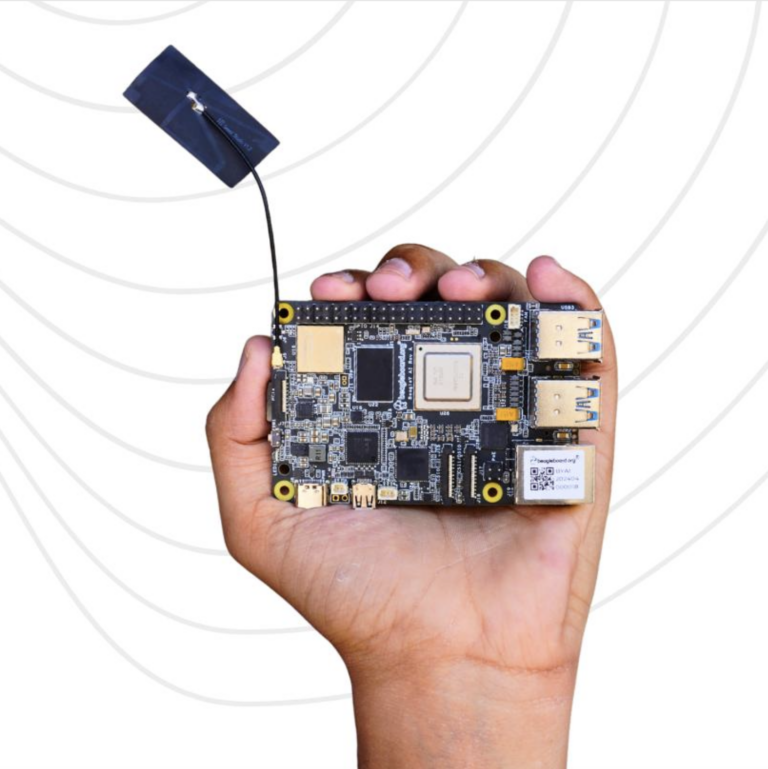
Hello everyone. Today I will be going over getting Fedora Minimal Rawhide running on BeagleY-AI. I will also talk about the motivation behind this little adventure and the future plans for this little side project.
Motivation
Since starting work at BeagleBoard.org, I’ve tried to follow an upstream-first approach for both Linux and Zephyr RTOS. This philosophy has worked well for Zephyr, but applying it to Linux has been more challenging due to the sheer complexity of upstream Linux development and limited resources.
The Debian images currently provided by BeagleBoard include a significant number of downstream patches (kernel, Mesa, and others). While these patches are often necessary, they make it difficult to accurately assess the true upstream status of a given board.
Fedora Linux, on the other hand, is well known for its upstream-first mindset and is widely used by kernel and platform developers. Supporting Fedora—even if initially just as a development-oriented setup—feels like a natural fit.
On a more personal note, I’ve been using Fedora on my own machines for quite some time. It strikes a good balance between the bleeding-edge nature of Arch Linux and the slower cadence of Ubuntu LTS. Ideally, I’d like to see Fedora IoT or Fedora Server images become viable options on BeagleBoard SBCs.
Prepare SD Card
For this setup, I used the Fedora Minimal Rawhide (2025-12-28) build.
- Flash the Fedora image to the SD card. As described in Fedora docs, using arm-image-installer.
sudo arm-image-installer --target=beagleplay \
                         --image=Fedora-Minimal-Rawhide-20251228.n.0.aarch64.raw.xz \
                         --media=/dev/sdx --resizefs --norootpass --showboot \
                         --args "console=ttyS2,115200n8 selinux=0"
NOTE: I am using beagleplay as a target since there is no beagley-ai target in upstream right now.
- Copy proper U-Boot binaries to the SD Card BOOT partition. Prebuilt binaries are available here.
cd /pat/to/boot
wget https://github.com/beagleboard/u-boot-beagley-ai/releases/download/v2025.07-Beagle-11.01.05/tiboot3.bin
wget https://github.com/beagleboard/u-boot-beagley-ai/releases/download/v2025.07-Beagle-11.01.05/tispl.bin
wget https://github.com/beagleboard/u-boot-beagley-ai/releases/download/v2025.07-Beagle-11.01.05/u-boot.img
Fix Initramfs
The initramfs shipped with current Fedora images is missing the irq-ti-sci-intr driver, which causes the kernel to fail during early boot. I’ve already opened an upstream PR to address this. Until that lands, the workaround is to regenerate the initramfs manually. This can be done from an x86_64 host.
- Mount SD-Card.
sudo mount /dev/sdx3 /mnt
sudo mount /dev/sdx2 /mnt/boot
sudo mount /dev/sdx1 /mnt/boot/efi
sudo mount --bind /proc /mnt/proc
sudo mount --bind /sys /mnt/sys- Chroot into the SD-Card root.
sudo chroot /mnt- Regenerate initramfs:
dracut --regenerate-all --force --no-hostonly --tmpdir /tmp --add-drivers "irq-ti-sci-intr" -L 5- Exit and eject the SD card.
Boot Fedora
Insert the SD card into the BeagleY-AI and power it on. Once the kernel boots, you’ll see the Fedora first-boot setup wizard over UART. After completing the setup, you should land at a shell prompt:
Fedora Linux 44 (Rawhide Prerelease)
Kernel 6.18.0-65.fc44.aarch64 on aarch64 (ttyS2)

localhost login: beagle
Password:
[beagle@localhost ~]$ uname -a
Linux localhost.localdomain 6.18.0-65.fc44.aarch64 #1 SMP PREEMPT_DYNAMIC Mon Dec  1 22:47:35 UTC 2025 aarch64 GNU/Linux
[beagle@localhost ~]$
Future Plans
This exercise uncovered more missing pieces than I initially expected. In no particular order:
- Some binary blobs required to build U-Boot for AM67A are missing from the upstream linux-firmware repository. This prevents U-Boot for BeagleY-AI (and boards like BeaglePlay) from being built as part of Fedora’s uboot-images-armv8 package.
- The initramfs issue described above.
- Wi-Fi support is currently broken in Fedora on this platform.
The short-term goal is to streamline the Fedora bring-up experience:
- Proper U-Boot builds in upstream Fedora
- Native support in arm-image-installer
- A fixed initramfs by default
Once these fundamentals are solid, attention can shift to Wi-Fi, display, and other peripherals.
Ending Thoughts
That is all for this post. Hopefully, this helps with improving the upstream status of BeagleBoard Linux SBCs.